Contact forms fail quietly. They keep accepting submissions, your team keeps manually reviewing them, and it's hard to measure what you're actually losing — the leads that went cold, the campaigns you kept funding without knowing which ones signed cases, the retainers that never closed because the client moved on.
Here are five signs your firm has outgrown it.
Sign 1: Your staff is triaging, not reviewing
Reviewing a lead means evaluating a case that's already been pre-qualified. Triaging means sorting through everything that came in to figure out what's worth a closer look at all. When a contact form is your front door, your team does the second thing — opening submissions that say "I need legal help" and spending the first ten minutes of every call figuring out whether there's a case.
A contact form collects the same flat fields from everyone. The qualification work gets pushed onto your staff, where it eats time that should be spent on cases you've already committed to.
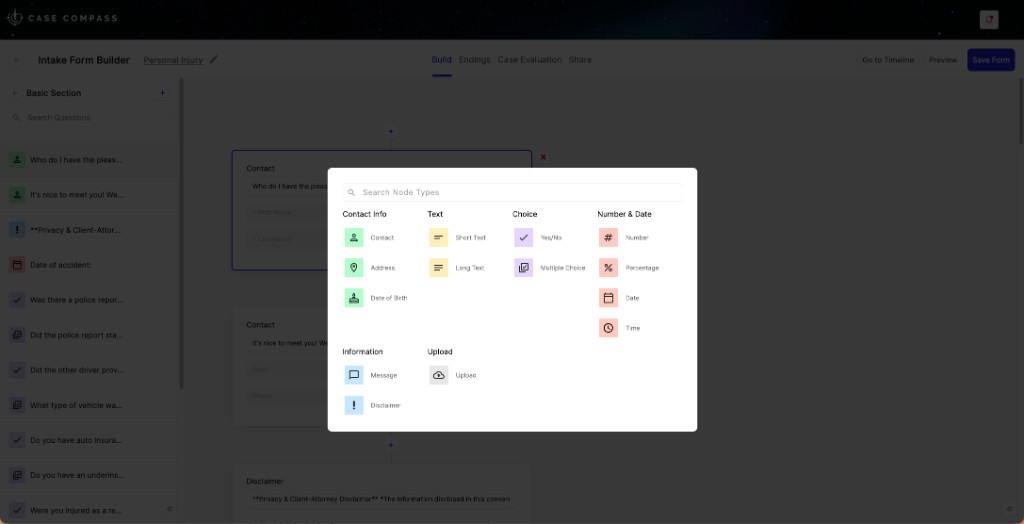
Case Compass Intake Form Builder — branching question nodes replace flat fields, so every intake collects exactly what you need before anyone on your team opens the record.
What to measure
What percentage of form submissions result in a retained client? If the ratio is poor and calls are running long on disqualification conversations, the form is creating the problem.
Sign 2: You can't trace a signed client back to what produced them
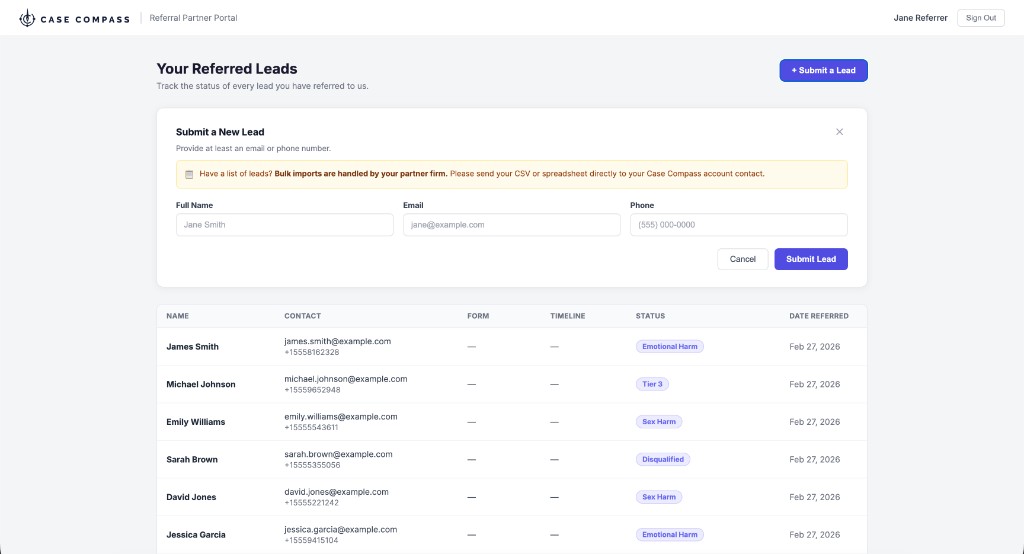
You're spending real money on paid search, social, referral relationships, and campaigns. A contact form tells you someone submitted — it doesn't tell you which campaign they came from, which landing page they were on, or which referral partner sent them. Marketing decisions get made on intuition. Budgets stay on channels that generate volume, not signed retainers.
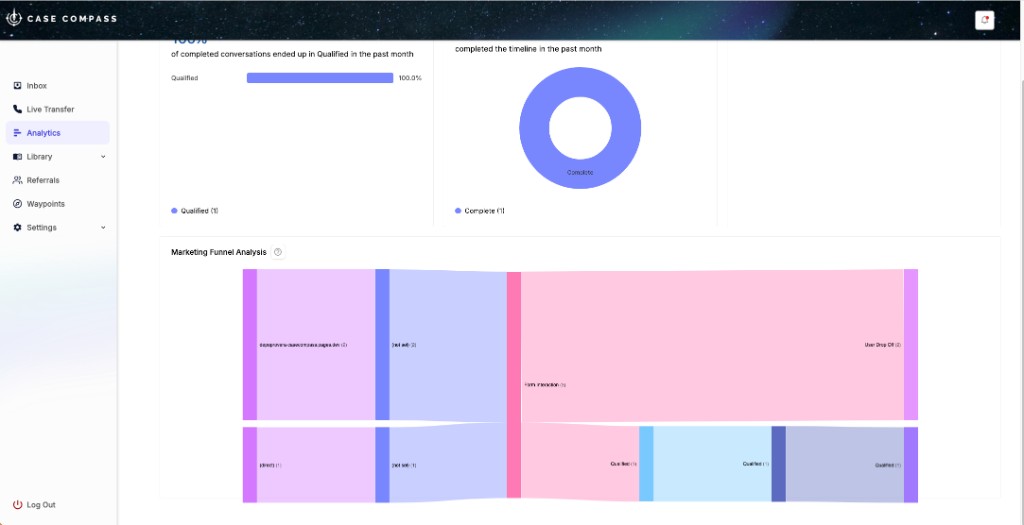
Case Compass Marketing Funnel Analysis — every intake traced from source channel to signed case, with drop-off visibility at each step.
What to measure
Pull your last 30 signed clients. For how many can you name the specific channel that produced the inquiry? If the answer is fewer than half, your attribution is broken.
Sign 3: Leads go cold before follow-up happens
Response time within the first five minutes dramatically increases conversion rates. After an hour, the curve drops sharply. Contact forms have no mechanism for automated follow-up — a submission lands in an inbox, joins a queue, and waits. Meanwhile, claimants who searched for a law firm submitted forms to multiple firms. The one who responds first gets the call back.
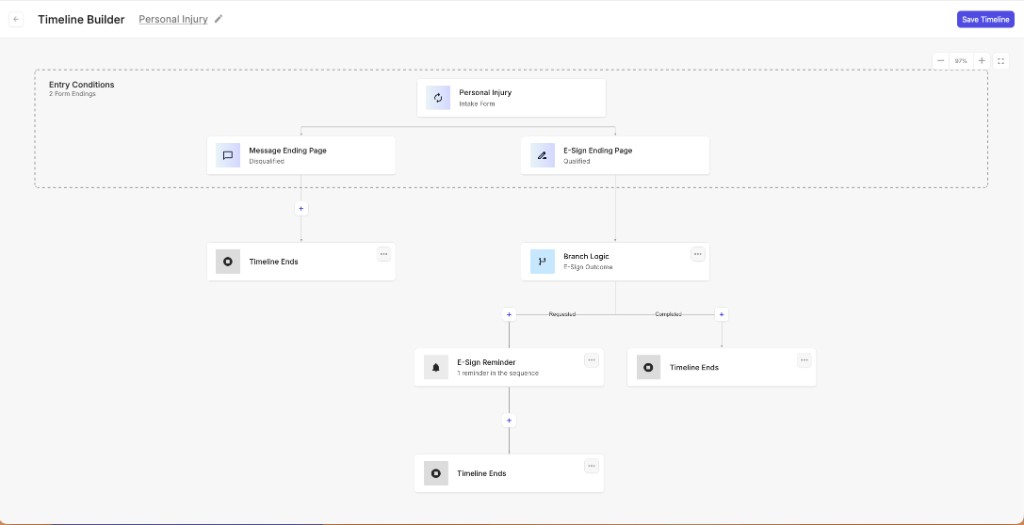
Case Compass Timeline Builder — qualified leads route automatically to an e-sign retainer page; an automated reminder sequence fires if the retainer isn't signed. No manual follow-up required.
What to measure
Compare your contact rate for leads reached within 30 minutes vs. leads reached after 2 hours. That gap is your speed-to-lead problem — and it starts with the form.
Sign 4: Retainers are signed days after intake, not during it
The most vulnerable moment in the intake funnel is the gap between submission and signed retainer. Someone fills out a form, waits, gets a call, waits again, receives a retainer by email, and is asked to sign through a tool they've never used — from a firm they spoke to once. A lot of cases are lost in that sequence. The firms that win close the gap: intake, qualification, and retainer in a single session.
What to measure
Average days between inquiry and signed retainer. How many leads fell off in that window? If the number is meaningful, that gap is where you're losing cases.
Sign 5: You're running campaigns your form wasn't built for
A contact form was designed for general-purpose inbound — name, phone, description. It's not built for a Depo-Provera campaign that needs exposure dates, diagnosis type, and treatment history before a human touches the lead. Or a workers' comp campaign where case value depends on injury severity and employer liability. Or a mass tort MDL where 80% of submissions fail on a single criterion — and your team is screening all of them manually.
Branching qualification
Collect exposure dates, diagnosis types, and injury facts only from relevant claimants — not everyone.
AI scoring on submission
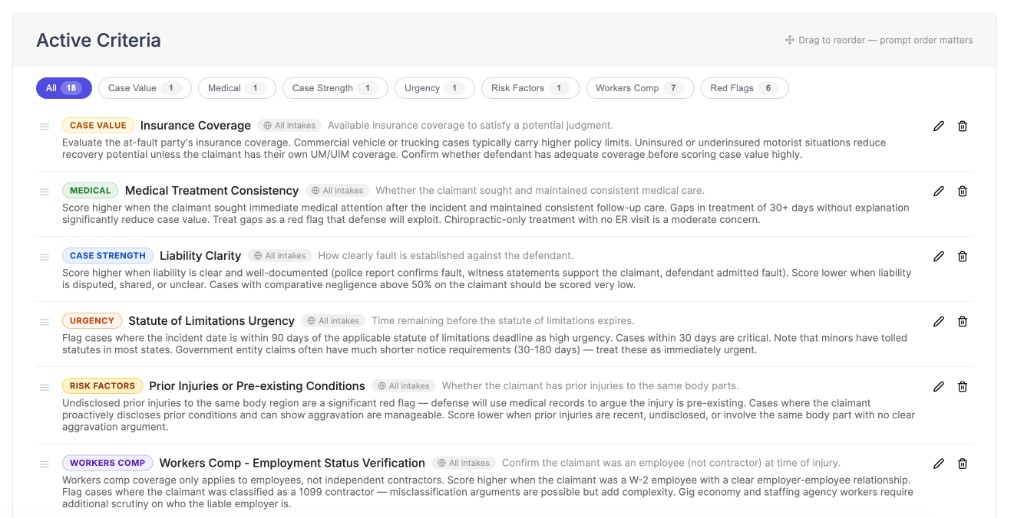
Waypoint evaluates every intake against your campaign criteria before your team opens the lead.
Scale without headcount
Hundreds of submissions a day, evaluated in seconds — without adding to your intake team's triage burden.
What to put in place instead
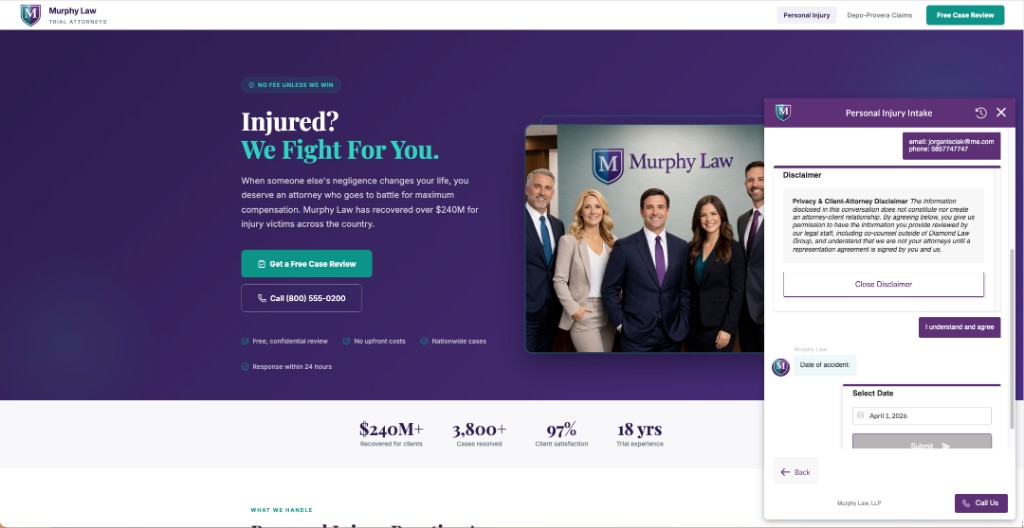
Case Compass embedded on a personal injury firm's site — same page, same URL, but now qualifies the claimant and routes to a retainer in the same session.
Case Compass replaces or supplements the contact form with:
- Branching intake flows — not a flat form; each answer shapes what comes next
- Waypoint AI scoring — every submission evaluated against your criteria before staff review
- Automated follow-up — SMS and email trigger instantly on submission, not when someone checks the inbox
- In-session e-signatures — retainer presented as the next step in intake, not a separate task
- Full attribution — every signed client traced to the channel, campaign, and URL that produced them
- CRM sync — structured intake data pushed to Litify, Filevine, LeadDocket, or Clio automatically
No site rebuild required
Case Compass embeds inline on your existing site — replacing your contact form visually while adding the qualification infrastructure behind it. Most firms are live within days.
See it replace your contact form — live
We'll walk you through a complete intake flow from first question to signed retainer, and show you how it compares to what you have today.
Schedule a Demo →